
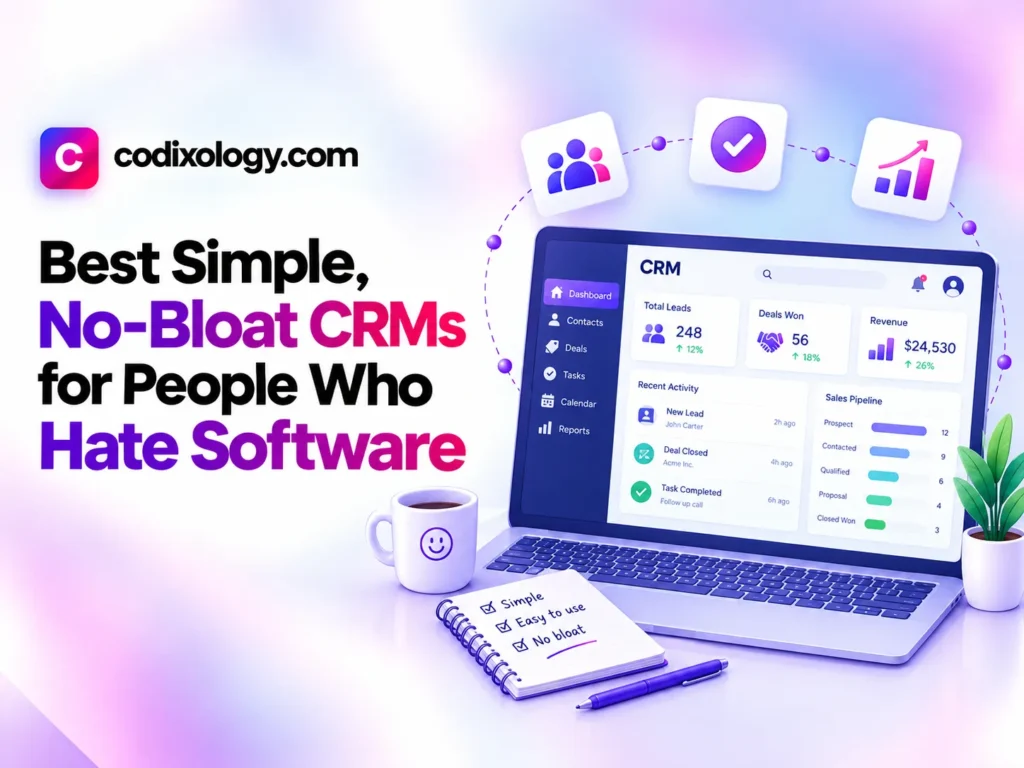
If the phrase “CRM software” makes you want to close the laptop, you’re not alone, and the best simple CRM options exist specifically for people who want organized contacts and follow-ups without learning an entirely new system. This guide covers lightweight CRM tools built around minimal setup and a short learning curve, not a feature checklist.
Plenty of business owners have tried a CRM before and abandoned it within a week because it felt more like homework than a helpful tool. This guide is built for exactly that experience, focusing on easy CRM options that stay out of your way.
What Makes a CRM Genuinely Simple
Not every tool marketed as “simple” actually is. A genuinely easy CRM tends to share a few specific traits, rather than just a clean-looking homepage:
- A short, honest setup process. You should be adding contacts within minutes, not working through a multi-step onboarding wizard.
- A small number of core actions. Add a contact, log a note, set a follow-up, that’s often all a lightweight CRM needs to do well.
- No forced complexity. Optional advanced features shouldn’t clutter the main interface for users who don’t need them.
- Minimal jargon. Terms like “lead scoring” or “workflow automation” can wait until you actually need them, if ever.
- Fast, obvious navigation. You shouldn’t need a tutorial to find your own contact list.
Best Simple CRM: Quick Comparison
| CRM | Known for | Good fit for | Learning curve |
| Capsule CRM | Clean, minimal interface | Users wanting straightforward contact tracking | Very short |
| Pipedrive | Visual, single-purpose pipeline | Users who think in terms of deal stages | Short |
| Streak | Works inside Gmail | Users who want a CRM without leaving their inbox | Short |
| Nimble | Simple relationship-focused design | Users prioritizing contact context over sales stages | Short to moderate |
| HubSpot CRM (core features only) | Simple if you ignore extra modules | Users wanting simplicity with room to grow later | Moderate (due to platform size) |
A Closer Look at Easy CRM Options
Capsule CRM
Capsule keeps its feature set intentionally narrow: contacts, notes, tasks, and a light pipeline, without extra modules competing for attention. As a lightweight CRM, its appeal is precisely that there’s little to configure before you can start using it productively.
Best for: users who want the simplest possible contact and task tracking without extra features getting in the way.
Pipedrive
Pipedrive’s visual, deal-stage-first design makes it feel more like a simple checklist than traditional software, which is part of why it’s frequently recommended as an easy CRM for people who think visually about their sales process.
Best for: users who want a clear, visual view of where things stand without digging through menus.

Streak
Streak operates directly inside Gmail, which means there’s no separate application to learn at all, your CRM lives inside an interface you already use daily. For some users, this alone makes it the best simple CRM option available.
Best for: users who want CRM functionality without ever leaving their email inbox.
Nimble
Nimble focuses on relationship context, pulling in social and contact information automatically to reduce manual data entry. As a lightweight CRM, it prioritizes understanding who you’re talking to over tracking formal deal stages.
Best for: users who care more about relationship context than a structured sales pipeline.
HubSpot CRM (Used Simply)
HubSpot’s full platform is large, but its core CRM functions, contacts, deals, and basic notes, can be used simply if you ignore the additional marketing and service modules. For users who might eventually want more features without switching tools, this is a reasonable middle ground.
Best for: users wanting simplicity today with the option to grow into more features without switching platforms later.
Easy CRM vs. Full-Featured CRM: What You’re Trading Off
Choosing a lightweight CRM means accepting a deliberate tradeoff, less capability in exchange for less friction.
| Easy CRM | Full-featured CRM | |
| Setup time | Minutes | Hours to days |
| Learning curve | Minimal | Moderate to steep |
| Advanced automation | Limited or absent | Extensive |
| Best for | Simple contact and follow-up tracking | Complex, multi-stage sales processes |
If your needs are genuinely simple, a full-featured CRM’s extra capability often just becomes unused clutter. If your sales process is complex, an overly simple tool may eventually feel limiting. For guidance on more full-featured small business options, see our best CRM for small business guide.

Best Simple CRM by Personality Type
The best simple CRM often depends less on your business and more on how you personally prefer to work.
| If you’re the type who… | Priority | Common pick |
| Lives in their email inbox | Wants zero context-switching | Streak |
| Thinks in visual checklists | Wants a clear pipeline view | Pipedrive |
| Wants the absolute minimum | Wants the fewest possible features | Capsule CRM |
| Values relationship context over stages | Wants automatic contact enrichment | Nimble |
This isn’t a strict rulebook, personal preference matters more here than in most software categories. But it’s a useful starting filter when narrowing easy CRM options that all claim to be simple.
Two Software-Averse Users, Two Different Choices
Two hypothetical users, a retired teacher running a small tutoring side business and a freelance photographer, illustrate how differently the best simple CRM can look depending on personal habits. The tutor, who managed her entire life through Gmail already, chose Streak specifically because it meant zero new interfaces to learn, her CRM simply became part of her existing inbox.
The photographer, who preferred a visual, checklist-style view of upcoming shoots and follow-ups, chose Pipedrive instead, finding its pipeline view matched how she already pictured her bookings mentally. Neither chose based on which tool had more features.
Both chose based on which lightweight CRM matched their existing habits most closely, which is usually what separates a genuinely adopted simple CRM from one that gets abandoned within weeks.
A Practical Example
Here’s a hypothetical example: a solo home repair contractor had avoided using any CRM for years, having tried one complex platform that felt overwhelming within the first ten minutes. He was managing client contacts through his phone’s native contacts app and text message history, which worked until he started losing track of which quotes he’d already sent.
He tried Capsule CRM specifically because a colleague described it as “genuinely simple,” and had his existing contacts imported and organized within a single sitting. Unlike his previous attempt with a more complex platform, he was still actively using it six months later, precisely because it never asked more of him than he needed.
Signs You Actually Need a Simple CRM (Not a Feature-Rich One)
Before assuming a lightweight CRM is right for you, it helps to recognize the specific signals that point toward simplicity over feature depth:
- You’ve abandoned CRM software before due to complexity. Past experience is one of the strongest predictors of what will and won’t work for you this time.
- Your sales or client process is genuinely straightforward. A handful of steps from first contact to completed work doesn’t need elaborate pipeline customization.
- You’re the only person using the tool. Solo use rarely requires the permissions, reporting, and team features that justify a more complex platform.
- You want to spend minutes, not hours, on setup. If setup time itself is a barrier to starting, an easy CRM removes that friction directly.
If most of these resonate, a best simple CRM choice is likely to serve you better long-term than a more powerful platform you’ll only use a fraction of.

What to Do If You Outgrow a Simple CRM Later
Even a genuinely good lightweight CRM choice might eventually feel limiting as a business grows. This isn’t a sign you chose wrong, it’s a natural part of growth. A few things worth knowing in advance:
- Most easy CRM tools support basic data export. Contacts and notes typically transfer to a new platform without major data loss, though custom fields and automation rules often don’t.
- Growing pains usually show up gradually, not suddenly. You’ll likely notice specific friction points (missing team visibility, needing more automation) well before a full switch becomes urgent.
- A staged upgrade is often smoother than starting over. Platforms like HubSpot let you start simple and add complexity gradually, rather than requiring a full platform switch when your needs grow.
- It’s fine to switch tools as your needs change. Choosing the best simple CRM for today doesn’t mean committing to it forever, revisiting the decision periodically is a normal part of running a business.
A Quick Gut-Check Before You Decide
Before settling on an easy CRM, run through a short gut-check:
- Could you add a real contact and set a follow-up reminder within your first five minutes of using it?
- Does the interface avoid unfamiliar jargon you’d need to look up?
- Would you still want to use this if nothing about your business changed for the next two years?
- Does it handle your actual current workflow, not a hypothetical future one?
If most answers are yes, you’ve likely found a genuine best simple CRM fit rather than a tool that just looks simple in a screenshot.
Common Mistakes When Choosing a Simple CRM
- Confusing “simple-looking” with “actually simple.” Some tools have a clean visual design but still require significant configuration to use effectively.
- Underestimating your own tolerance for complexity. If you’ve abandoned software before due to complexity, that’s a meaningful signal worth taking seriously when choosing again.
- Choosing based on features you might need someday. A best simple CRM choice should reflect your actual current needs, not a hypothetical future scenario.
- Skipping a real trial period. A quick look at a homepage rarely reveals whether a tool feels simple once you’re actually using it daily.
Expert Perspective
In practice, the CRMs that stick with software-averse users long-term share a specific trait: they don’t ask the user to learn CRM terminology before becoming useful. A lightweight CRM that maps directly onto how someone already thinks about their contacts and follow-ups tends to see far better long-term adoption than one requiring users to adopt an entirely new mental model.
This aligns with broader research on software usability. Ease of use consistently ranks above feature depth as a driver of continued software adoption, particularly among users who’ve previously abandoned more complex tools.
Practical Tips for Choosing a Simple CRM
- Be honest about your past software experience. If you’ve abandoned CRMs before, prioritize simplicity over features even more heavily this time.
- Import your real contacts on day one, rather than testing with sample data, so you can judge genuine day-to-day simplicity.
- Give yourself permission to ignore advanced features. Even a full-featured platform can be used simply if you stick to its core functions.
- Revisit your choice only if you hit a real limitation, not because a more feature-rich tool looks appealing in the abstract.
Related Reading
- Best CRM for startups that scales with you
- Best CRM for solopreneurs and one-person businesses
- How to choose a CRM: a step-by-step framework
The Bottom Line
The best simple CRM isn’t the one with the cleanest marketing page, it’s the easy CRM that actually gets used daily because it never asks more of you than necessary. Use the comparisons in this guide to find a lightweight CRM that matches your real tolerance for software complexity.
Frequently Asked Questions
What is the best simple CRM for someone who has never used one before?
Capsule CRM and Streak are both frequently recommended for first-time users specifically because they require minimal setup and don’t introduce unfamiliar terminology upfront.
Is a lightweight CRM missing important features I’ll need later?
It depends on your needs. A lightweight CRM covers core contact and follow-up tracking well, but may lack advanced automation or reporting that a growing, more complex business might eventually want.
Can an easy CRM still handle a real sales pipeline?
Yes, tools like Pipedrive combine simplicity with genuine pipeline tracking, proving that easy to use and functionally capable aren’t mutually exclusive.
Will I eventually outgrow a simple CRM?
Possibly, if your needs become significantly more complex. Many users, however, find that a lightweight CRM continues to meet their needs indefinitely without ever requiring an upgrade.
Is Streak a real CRM, or just a Gmail add-on?
Streak functions as a genuine CRM, tracking contacts, deals, and pipelines, it simply operates inside Gmail’s interface rather than as a separate application.
What’s the biggest mistake people make when choosing a simple CRM?
Choosing based on features they might need someday rather than their actual current workflow, which often leads back to the same complexity they were trying to avoid.
How do I know if I need a lightweight CRM or a full platform from the start?
If you’ve never used a CRM before or have abandoned one due to complexity, starting with an easy CRM and upgrading later if needed is generally lower-risk than starting with a complex platform and hoping it feels manageable.
Can a best simple CRM choice grow with a small business over time?
Some can, particularly tools like HubSpot that let you use core features simply at first. Others, like Capsule, are intentionally built to stay simple rather than scale into complexity, which is fine if that’s genuinely all you’ll ever need.
6 comments