Free Trial vs Freemium: How to Test Software Risk-Free
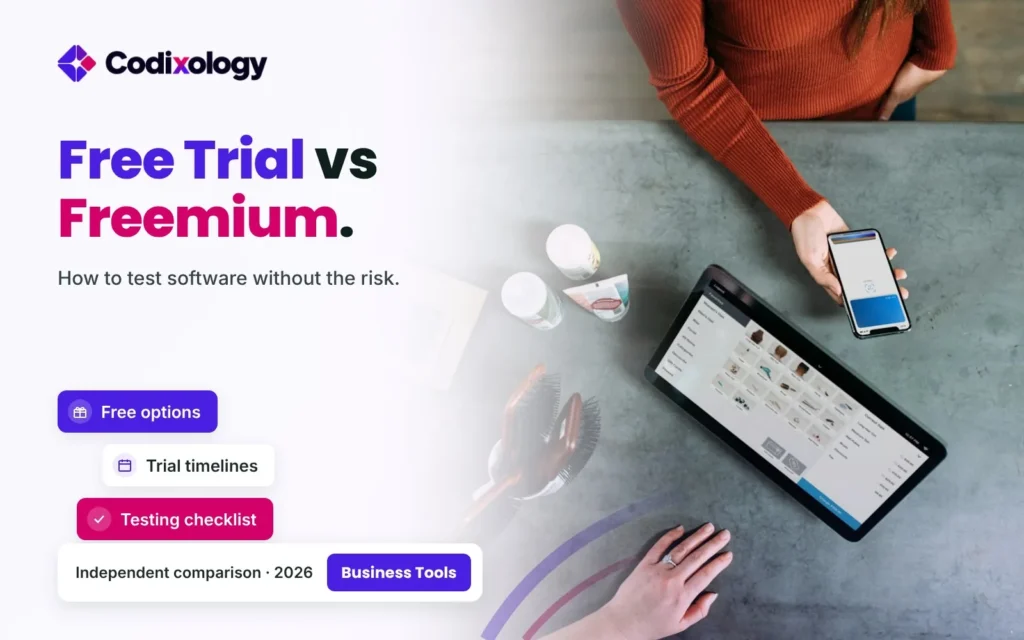
Understanding free trial vs freemium models helps you choose the right way to test software before committing any money. Both approaches let you try a product risk-free, but they work differently, and knowing which one fits your evaluation needs makes the process considerably more effective.
This guide breaks down how each model works, when each one serves you better, and practical tips for getting the most out of either approach during your evaluation.
What’s the Difference Between a Free Trial and Freemium?
A free trial gives you full or near-full access to a product’s paid features for a limited time, typically seven to thirty days, after which you must subscribe to continue. Freemium, by contrast, offers a permanently free tier with a limited feature set, alongside optional paid upgrades for more advanced capability.
The core distinction is time versus features: a free trial limits how long you can use the full product, while freemium limits which parts of the product you can use, but for as long as you like.
Free Trial vs Freemium: Side-by-Side Comparison
| Factor | Free Trial | Freemium |
|---|---|---|
| Access level | Full or near-full features | Limited feature set |
| Time limit | Yes, typically 7-30 days | No time limit on the free tier |
| Best for evaluating | Full feature depth quickly | Core functionality over an extended period |
| Pressure to decide | Higher, deadline-driven | Lower, no urgency to upgrade |
| Requires payment info upfront | Often, though not always | Rarely |
Neither model is universally better, the right choice depends on what you’re actually trying to learn during your evaluation.
When a Free Trial Serves You Better
A free trial is the stronger choice when you need to evaluate a product’s full feature depth quickly, particularly for tools with advanced capabilities that only become relevant after some setup.
- You need to test advanced or premium-only features. Freemium tiers often exclude exactly the capabilities you need to evaluate.
- Your evaluation timeline is short and defined. A trial’s built-in deadline can actually help you stay focused on completing your assessment.
- You’re comparing multiple similar tools. Running short trials of several candidates side by side gives a faster, more direct comparison than testing free tiers with different limitations.
- The product’s value only shows up with full functionality. Some tools feel incomplete on a limited free tier in ways that don’t reflect the actual paid experience.
When Freemium Is the Smarter Way to Test Software Free
Freemium models work better when you want an extended period to genuinely test software free, without the pressure of a ticking clock, particularly for tools you’ll use gradually or infrequently.
- You’re building toward eventual paid usage. A freemium email marketing tool, for example, lets you build your list gradually before you need paid sending volume.
- You want to validate long-term fit, not just initial impressions. A month-long free trial might not reveal issues that only surface after extended daily use.
- You’re not ready to commit to a full evaluation timeline yet. Freemium removes the pressure of a trial expiring before you’ve had time to properly test the tool.
- The core functionality you need is included in the free tier. Many freemium tools cover genuinely useful functionality without requiring the paid tier at all for simpler needs.
Software Trial Tips for Getting the Most Out of Either Model
Regardless of which model you’re using, a few consistent practices help you extract genuinely useful information from your evaluation period.
Use Real Data, Not Demo Content
Testing with your actual customer list, real projects, or genuine content reveals usability issues that generic demo data won’t show. This is one of the most important software trial tips regardless of which model you’re testing under.
Set Specific Evaluation Goals Before You Start
Define what you’re actually trying to learn, whether the automation features work as expected, whether your team adopts the interface easily, or whether a specific integration functions correctly, before diving in without a clear plan.
Involve the Actual End Users
The people who’ll use the tool daily should be part of the evaluation, not just decision-makers testing it in isolation. Adoption issues often surface during a genuine trial that wouldn’t appear in a leadership-only test.
Track Your Findings as You Go
Documenting specific observations during your evaluation, rather than relying on memory afterward, produces a more accurate final assessment when it’s time to decide.
A Practical Example: Testing a CRM via Free Trial
Consider a business evaluating a new CRM with a two-week free trial. They import their actual contact list, involve their sales team in daily use, and specifically test the automation features that were the deciding factor in choosing this candidate over competitors.
By the end of the trial, they’ve directly observed exactly the capability that mattered most to their decision, rather than relying on marketing claims about that feature.
A Second Example: Testing Email Marketing Through Freemium
Now consider a business building an email list months before launching active campaigns. Rather than starting a time-limited trial before they’re ready to send real campaigns, they choose a freemium email platform, letting them build and organize their list at no cost until sending volume actually requires a paid upgrade.
This example shows why freemium can be the more appropriate way to test software free when your actual usage will ramp up gradually rather than needing full functionality immediately.
Advanced Software Trial Tips for a More Rigorous Evaluation
Beyond the basics of using real data and involving end users, a few more advanced software trial tips can meaningfully sharpen the quality of your evaluation for higher-stakes decisions.
- Simulate your busiest realistic scenario. Testing a tool only under light, easy conditions won’t reveal how it performs when your actual workload is heaviest.
- Test the cancellation or downgrade process itself. Understanding how easy or difficult it is to leave, before you’re locked in, is valuable information in its own right.
- Reach out to support with a real question during the trial. This gives you a genuine preview of response time and quality rather than relying on the vendor’s stated commitments.
- Check how the tool handles an edge case specific to your business. Generic testing often misses the unusual scenario that matters most to your particular workflow.
- Get feedback from more than one team member if multiple people will use the tool. Individual impressions can vary considerably, and a single person’s positive experience doesn’t guarantee broad team adoption.
Applying these more thorough software trial tips takes extra effort, but for a tool that will become central to your operations, that additional rigor during the free evaluation period pays for itself many times over compared to discovering problems after committing.
Common Mistakes When Testing Software
- Starting a trial before you’re ready to properly evaluate it. A trial’s clock runs regardless of whether you’ve had time to test thoroughly.
- Testing only with demo data. Real data and actual workflows reveal issues generic content won’t show.
- Not involving the people who’ll actually use the tool daily. Adoption problems often only surface during genuine end-user testing.
- Providing payment information for a trial you’re not fully committed to evaluating. Some trials auto-convert to paid subscriptions if not canceled in time.
- Choosing freemium when you actually need to test premium-only features. Confirm the free tier includes what you specifically need to evaluate before starting.
Expert Perspective
Software evaluation research consistently identifies structured testing with real data and genuine end-user involvement as the strongest predictors of an accurate assessment, regardless of whether the underlying access model is a free trial or freemium tier. This supports approaching either model with the same evaluation discipline rather than treating a free trial as a lower-stakes, less rigorous test.
For any evaluation involving customer or financial data during a trial period, confirming the vendor’s data handling and security practices for trial accounts specifically, not just paid accounts, is a reasonable step before importing sensitive information.
Practical Tips for Choosing Between the Two Models
- Choose a free trial when you need to evaluate advanced or premium-only features quickly.
- Choose freemium when your actual usage will build gradually or when you’re not ready for a defined evaluation deadline.
- Set specific evaluation goals before starting either type of test.
- Use real data and involve actual end users regardless of which model you’re testing under.
- Watch for auto-conversion terms on free trials that require payment information upfront.
Hybrid Models: When Providers Offer Both
Some SaaS providers don’t force a choice between free trial vs freemium, offering both a permanently free tier and a time-limited trial of premium features layered on top. This hybrid approach can give you the best of both models if you know how to use it deliberately.
In this setup, you can typically start on the free tier to test core functionality at your own pace, then activate a trial of premium features specifically when you’re ready to evaluate the advanced capability that matters most to your decision. This sequencing lets you test software free for as long as needed on the basics, saving the time-limited trial specifically for the features requiring focused evaluation.
Not every provider structures their offering this way, so checking whether a hybrid model is available is worth doing before assuming you’re limited to a single evaluation approach.
How Vendors Decide Between Offering a Trial or Freemium
Understanding why a vendor chose their specific model can help you interpret what that choice signals about the product itself. Products with a lower cost to serve additional free users, most pure software tools, for example, more easily support a permanently free freemium tier.
Products with a higher cost to serve each user, tools involving significant compute resources or per-transaction costs, more often rely on time-limited trials instead, since offering unlimited free access indefinitely would be considerably more expensive for the provider to sustain. This isn’t a reflection of product quality either way, simply a business model decision based on the provider’s own cost structure.
Recognizing this distinction can help set realistic expectations: a trial-only product isn’t necessarily less confident in its value than a freemium one, it may simply have a different underlying cost structure driving that choice.
Related Reading From Codixology
For a broader look at genuinely useful free software options, Codixology’s best free business software guide covers strong freemium options across common categories.
For a complete framework on evaluating any software purchase, Codixology’s how to choose business software guide covers the full decision process.
Frequently Asked Questions
Which is better, a free trial or freemium? +
Neither is universally better. A free trial suits testing full, advanced features quickly within a defined timeline, while freemium suits an extended, lower-pressure evaluation of core functionality. The free trial vs freemium decision ultimately depends on your specific evaluation goals more than any general preference for one model over the other.
Do free trials always require a credit card upfront? +
Not always, but many do, particularly to enable an easy auto-conversion to a paid subscription. Checking this specific requirement before starting a trial helps you avoid an unexpected charge.
Can I test software free indefinitely with a freemium model? +
Yes, as long as your usage stays within the free tier’s specific limits, whether that’s contacts, features, or usage volume, a freemium tier can be used indefinitely at no cost.
What are the most important software trial tips for a business evaluation? +
Use real data, involve actual end users, set specific evaluation goals beforehand, and document your findings as you go, rather than relying on memory when it’s time to decide.
Should I test multiple competing tools at the same time? +
Yes, when practical. Running trials of two or three genuine candidates side by side, using the same evaluation criteria for each, produces a more objective comparison than testing tools one at a time over an extended period.
What happens if I don’t cancel a free trial in time? +
Most trials that require payment information upfront will automatically convert to a paid subscription unless you cancel before the trial period ends, so setting a reminder before the deadline is a reasonable precaution.
Is freemium a good way to evaluate enterprise-level features? +
Generally not, since freemium tiers typically exclude the most advanced, enterprise-oriented features specifically to encourage upgrades. A free trial is usually the better way to evaluate that level of functionality.
Can I switch from a free trial to freemium if I need more time to decide? +
Some providers do allow this, moving you to a limited free tier automatically once a trial ends rather than requiring immediate payment. Checking whether this option exists before your trial expires can extend your evaluation window without pressure.
The Bottom Line
There’s no single right answer in the free trial vs freemium debate, since the choice comes down to what you’re trying to learn: a free trial suits a focused evaluation of full, advanced features within a set timeline, while freemium suits an extended, lower-pressure test of core functionality. Applying consistent software trial tips, real data, genuine end-user involvement, and clear evaluation goals, makes either model considerably more effective at helping you test software free with confidence.
Codixology recommends matching the evaluation model to your specific need rather than defaulting to whichever option a provider happens to offer first.
Ready to start evaluating your next software decision? Explore Codixology’s full software comparison library to find tools worth testing for your business.